
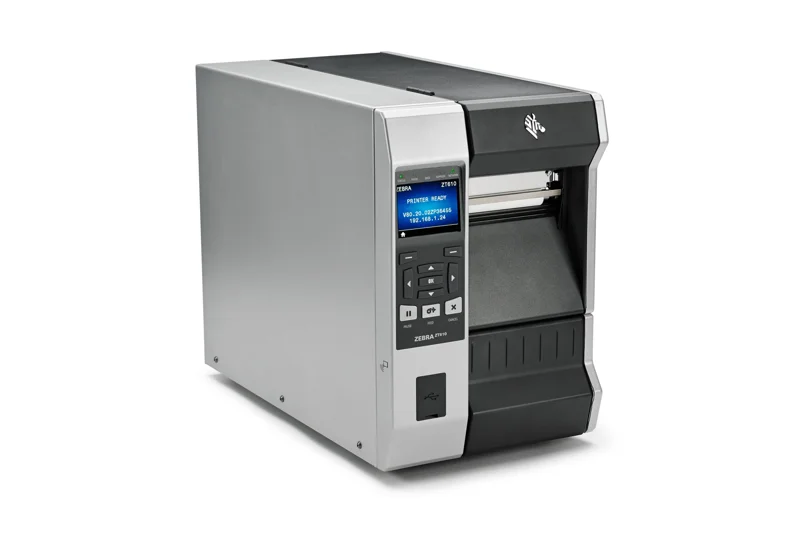
Zebra ZT610
4-inch industrial printer, 203/300/600 dpi options, 4.3-inch color touchscreen
- 203 / 300 / 600 dpiResolution
- 14 ips(203 dpi) / 12 ips(300 dpi) / 6 ips(600 dpi)Max. speed
- 104 mmPrint width
Specifications
| Resolution | 203 / 300 / 600 dpi |
|---|---|
| Max. print speed | 14 ips(203 dpi) / 12 ips(300 dpi) / 6 ips(600 dpi) |
| Max. print width | 104 mm |
| Print method | Thermal transfer/direct thermal |
| Ribbon capacity | 450 m |
| Display | 4.3-inch full-color touchscreen |
| Standard interfaces | USB 2.0, RS-232 serial port, Gigabit Ethernet, Bluetooth |
| Optional interfaces | 2 expansion slots: dual-band 802.11ax Wi-Fi + Bluetooth 5.3 / parallel port / Ethernet / applicator interface; external IPv6 adapter (connects to the parallel port) |
Specifications are compiled from manufacturer data; the specification data provided by the manufacturer prevails.
The role of ZT610 in a system implementation
The printer is the system's “way out”: data in your ERP, WMS or e-commerce platform is sent straight to the printer through an API or a print service and becomes the label on the goods, which every station on the floor can scan.
Shipping labels and carton labels
As soon as the shipping order is confirmed, the system pulls the product name, quantity and lot number and prints the carton label automatically, with no manual copying.
Work order and work-in-progress labels
The work order barcode is printed when the work order is opened; each station scans it to report, so you can track how far the batch has gone.
Pallet and storage location labels
Put-away and pallet movements each have their own barcode, so an inventory count is just a matter of scanning.
Want to know whether ZT610 suits your site?
Tell us what labels you need to print, how many per day and in what environment, and we will help you confirm the model and resolution.
Ask about ZT610 →